Wednesday, January 28, 2015

Policy Pictogram


Illustrator Notes

(I) Watch Mr. Webb's demonstration and post notes to do the following on your blog:
- Creating a new canvas (document)
     press Command+N to make a new canvas
     3 sections of Adobe Illustrator (Toolbox [left], Menu bar [at the top], Panels [right])
     PROFILE: Print, SIZE: Letter, ORIENTATION: Portait

- Interface navigation, drawing tools (Illustrator's shapes & using the Pen Tool)
    Rectangle Tool (M) - makes squares and rectangles with sharp edges
    Rounded rectangle tool - makes rectangles with rounded edges
    Ellipse tool - draw circles and ovals
    Polygon Tool - draws convex regular polygons.
    Star tool - draws stars; to add more edges tap the up arrow, to remove edges tap the down arrow; to     control the sharpness of the star, hold the command key while drawing the star.

   Selection Tool (V)- looks like a black arrow.  Use to select objects that you want to move, copy or     delete.

    Pen Tool (P) - draws line segments and curves

- Setting the Fill Color, and the Stroke Color
First, select your object or line.  
Second, click on the fill color box to set the fill color. 
OR, click on the stroke color box to set the stroke color

- Saving file formats (saving for Adobe Illustrator editing vs. Saving an image for the web)
Save for Adobe Illustrator = (.ai) <<Can ONLY be opened in Illustrator.
Save for the Internet/Your blog = (.jpeg, .gif, .png) << Can be uploaded to your blog.

Monday, January 26, 2015

*Notes*

- Creating a new canvas (document)

Press Command+N to make a new document. 
Illustrator has three main areas: the Toolbox, the Menu Bar, and the Panels.
- Interface navigation, drawing tools (Illustrator's shapes & using the Pen Tool)


Pressing M will let you draw a rectangle. To draw shapes you have to click and drag on the canvas. If you press and hold the shapes button, more shapes will appear. There are 6: The Rectangle tool, the Rounded Rectangle tool, the Star tool, the Eclipse tool, the Star tool, and the Flare tool. 
- Setting the Fill Color, and the Stroke Color
- Saving file formats

Monochromatic & Negative Space

Monochromatic - Monochromatic color schemes are derived from a single base hue and extended using its shades, tones and tints.


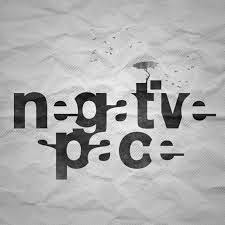
Negative space - the space around and between the subject(s) of an image.


Wednesday, January 21, 2015

Researching the Rebus

(a) Rebus- Using pictures to replace a similar word or phrase.
(b)
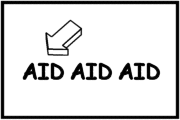
This rebus has a picture of a arrow pointing at the word 'aid', which there are three of. This rebus means First Aid, since the arrow is pointing at the first aid.


 This rebus is showing three words, FREE, A, and 4. Then there is a picture of a bee, with a + R, and an ear +Y. This rebus says "Free beer for a year".
This rebus shows a happy face, a bird-D= a sundae-the sun, a 2, and a U. This rebus says Happy Birthday to you!
(c) 
 This rebus says "I love you".
This rebus says "My dear child, I received you letter of tuesday 

Researching Pictograms

(a) Pictograms- A pictorial symbol for a word or phrase.
(b)
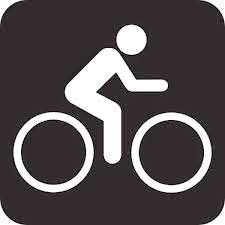
This is a pictorial to show that you could bike in this area. Most people automatically know its a bike lane right when they see this picture.

This is the handicap sign. This is meant to show that a disabled person could take this due to their special need(s). Usually when you see this, you think people with disabilities could be here.

This is a pictogram with a cow. I have never honestly seen this, but we could easily assume that this pictogram is meant to show that a cow or cows are nearby. 

(c) I WILL BE DEFINING THESE FROM LEFT TO RIGHT, TOP TO BOTTOM.
These pictograms are commonly seen in airports. In order: Security guards, flight attendants, more flight attendants, catering, luggage move, item check, security check, metal wand, passport check, walking way, luggage cart, backpack, wait, luggage belt, and luggage car. 
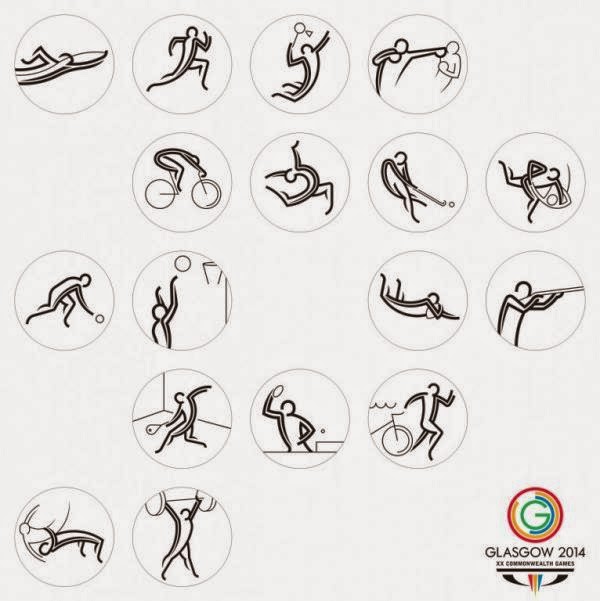
These are seen in olympics I'm guessing. In order: Swimming, running, badmitton, boxing, cycling, dance, golf, judo, (not sure), basketball, football, shooting, squash, table tennis, and weight lifting.

Researching Calligram

(a)Calligram-A poem, phrase, or word that is arranged in a way to form a picture or visual.
(b)
This as you can see, is a zebra. It is entirely made from the word 'Zebra', except for the eye.

This is a tree. There are words like 'Memory' and 'Hope', because trees usually stand for longevity and new beginning.

This is a camera. Looking into the calligram, you could see words such as 'optics', 'lens', 'focus', and 'angle of view'. These are all words that relate to a camera. 

(c)
This is an ant. In this calligram, you could see the words 'ant'. 'leg', and 'abdomen', which are all in they're appropriate places.
 
This is a panther. In this calligram, only one word is used used which is 'panther'. The 'P' is used as the tail, the 'A' as the hind legs, the 'N' as the stomach, the 'T' as the spine, the 'H' as the front legs, the 'E' is the neck, and the 'R' is the head and jaw.